
Vid Hub features
Everything you can do with a video in Vid Hub, from captions written for you to styles, translation and subtitle files.
No account needed to start.
Clip: CNBC Warren Buffett Archive, captioned in the editor. The Hebrew words are our own translation. No endorsement is implied.
All features
Vid Hub is a caption editor that runs in your browser, with nothing to install. Upload a video and start captioning without an account.
Captions
- Auto caption generatorThe speech in your video becomes timed captions you can fix and style.
- Add subtitles to a videoBurn subtitles into the picture, or keep them as a file for the player.
- Animated captions28 ready styles and 14 animations, from a gentle fade to word-by-word Karaoke.
- Caption fontsOver 50 fonts, with fonts made for Arabic and Hebrew, and your own saved look.
Files and languages
- SRT generatorA subtitle file made from the speech of your video, with a time for each line.
- Subtitle translatorTranslate the captions into another language and keep the original audio.
- Hebrew captionsCaptions from Hebrew speech that read right to left, in Hebrew fonts.
- Arabic captionsCaptions from Arabic speech with joined letters, right to left.
Platforms
- TikTok captionsCaptions for a vertical TikTok, burned in so they survive every repost.
- Instagram Reels subtitlesSubtitles for Reels and Stories that read on a phone with the sound off.
- Twitter (X) video translatorPaste a link to a video on X, get captions and translate them on a paid plan.
- TikTok video translatorBring a TikTok video from its link on a paid plan, or upload the file, and translate its captions.
- Vimeo video translatorBring a Vimeo video from its link on a paid plan, or upload the file, and translate its captions.
Inside the editor
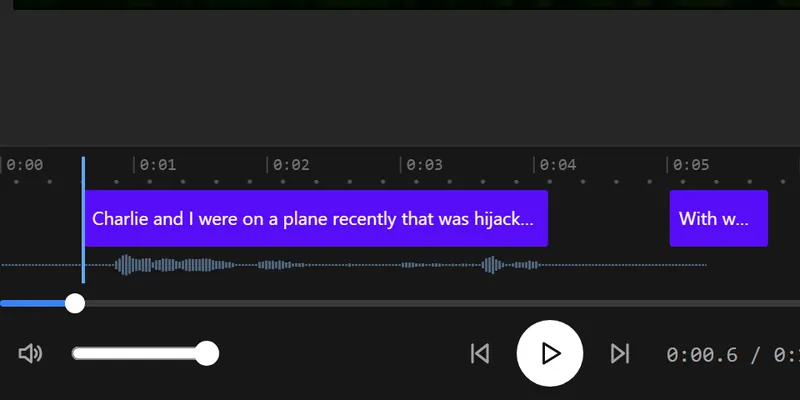
A timeline for your captions
Each caption is a block on the timeline under the video. Drag a block to move it, or drag its edge to change where it starts or ends. Fix the words, cut a caption in two or join two in the Subtitles panel.
Your file stays in your browser
A video file you open in the editor stays in your browser. Only its sound leaves it. Our server passes the sound to our speech-recognition provider to write the captions, then deletes it when that request ends.
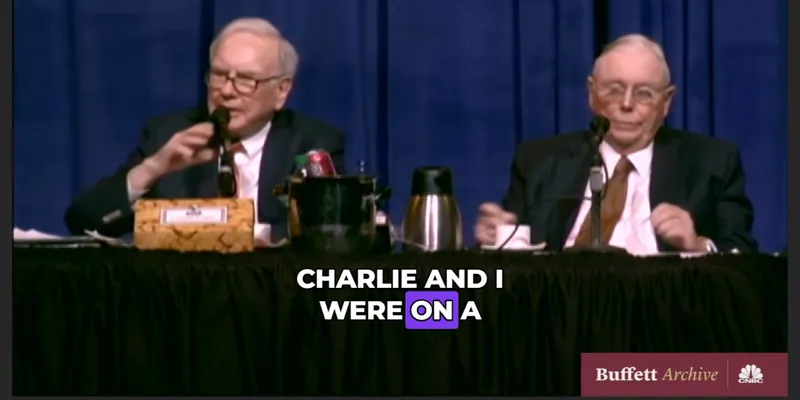
One look for the whole video
Choose one of the 28 styles and one of the 14 animations, such as Pop, Wave or word-by-word Karaoke. Every caption takes them, so you set the look once.
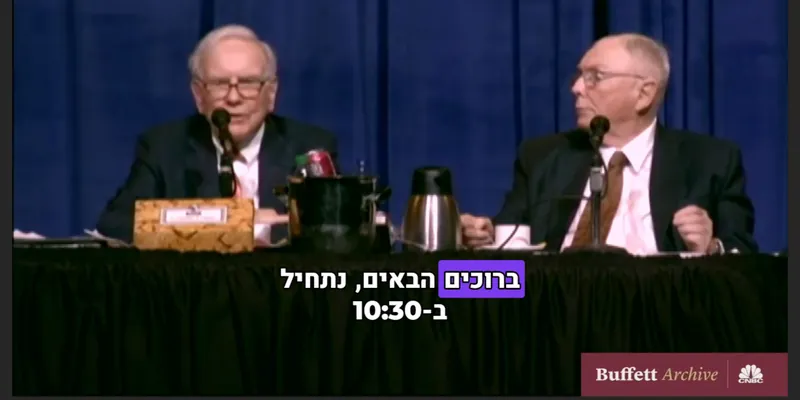
Made for right-to-left languages
Arabic and Hebrew captions run right to left in the preview and in the exported video. Numbers and English words inside a line stay in their own order.
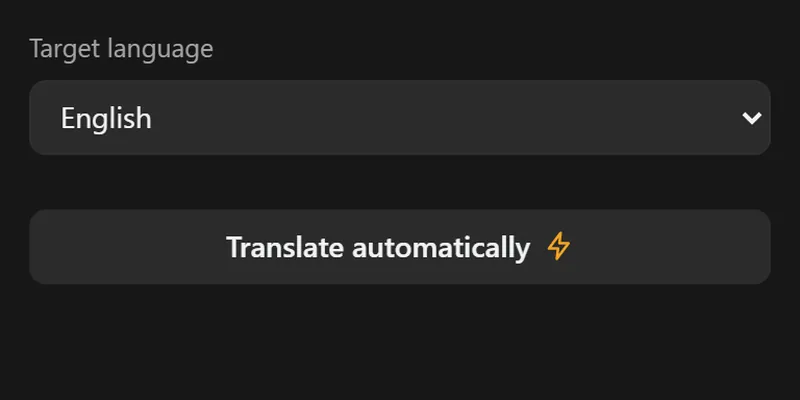
More languages and files, on a paid plan
A paid plan translates your captions. Each language is a caption track of its own, so you can check it line by line, and you can save .srt, .vtt and .txt files.
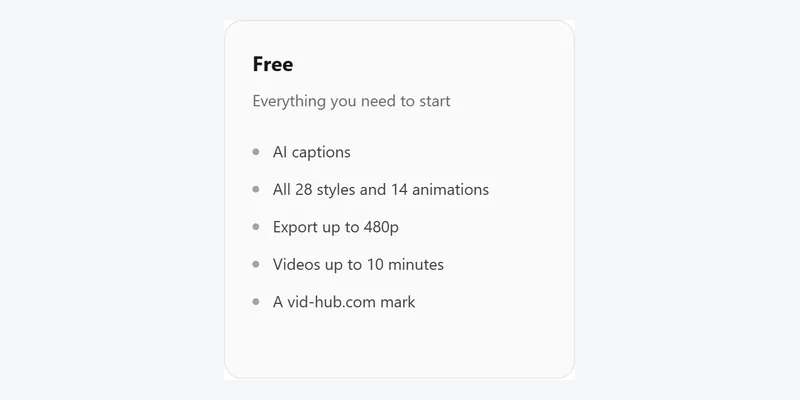
Try it with no account
Upload a video file and caption it with no account and no card. The free plan captions up to 10 minutes of each video and exports at 480p with a vid-hub.com mark.
Pictures that show a video use the editor's demo clip, an excerpt from the CNBC Warren Buffett Archive. No endorsement is implied.
Frequently asked questions
Which feature do I start with?
Start with the auto caption generator: upload a video file and the editor writes its captions from the speech. Then change their look with animated captions and caption fonts, and export the video.
Are the features separate tools?
No. They are parts of one caption editor. You add a video once and use any of them on it: captions from the speech, styles and animations, fonts, translation and subtitle files.
Which features need a paid plan?
These need a paid plan: translation, subtitle files (.srt, .vtt and .txt), saved styles, uploaded fonts, export at 720p or 1080p, and captions for more than 10 minutes of a video. Captions from the speech, editing, the styles and the animations are free, for up to 10 minutes of each video and 30 minutes of speech a day. Each feature page has a table of what is free and what is paid.
What is the difference between the features and the free tools?
The features are parts of the caption editor, which works on your video. The free tools are single pages for one job each, most of them for a subtitle file you already have: convert it, move its times, or fix Arabic and Hebrew punctuation. The tools need no account.
Where do I get help with a feature?
The help center explains the captions, the file formats and the exports. For anything else, write to vidhub.support@gmail.com.