
How-to
How to translate an English video into Arabic subtitles
Upload the English video to Vid Hub, choose Arabic, and watch a preview of up to 20 seconds with the Arabic subtitles burned in before you pay. The subtitles are written in Modern Standard Arabic and run right to left, and the original English audio stays. Before you publish, ask a native speaker to check names and numbers.
The steps are short. What needs care is the Arabic itself: its direction, which Arabic you get, and the English words that stay inside each line.
On this page
Arabic is in demand as a subtitle language. VEED, a video editor, writes on its blog that “Arabic is the strongest non-English target language by search demand.” This guide covers the exact steps in Vid Hub and the checks that matter for Arabic.
Why Arabic subtitles need more care
- Direction. Arabic runs right to left, but English names, brand names, web addresses and Western digits inside an Arabic line still run left to right. Mixed lines are where words can come out in the wrong order.
- Letter shapes. Arabic letters join and change shape inside a word. Vid Hub burns the subtitles in after the text is shaped, so the joined forms survive into the MP4 instead of falling apart into single letters.
- Dialect. Spoken Arabic differs a lot between countries, and a file written in one dialect can read oddly in another.
- Width. Arabic sets wider than Latin script at the same size, so a line that fits in English often has to be split.
Which Arabic do you get?
When Vid Hub translates into Arabic, the translation step is told to write Modern Standard Arabic, not a regional dialect, and to keep the speaker's tone: casual speech stays casual and formal speech stays formal. Modern Standard Arabic is the written form that readers from Morocco to Oman share, so one file works across the region.
There is no dialect setting. VEED makes the same point: “Egyptian Arabic isn't the same as Saudi or Levantine Arabic.” If your audience expects one country's dialect, a translator who writes in that dialect is the better choice. On Pro and Studio you can edit the wording of any line in the subtitle editor before you download.
Step by step: English video to Arabic subtitles
Upload the video
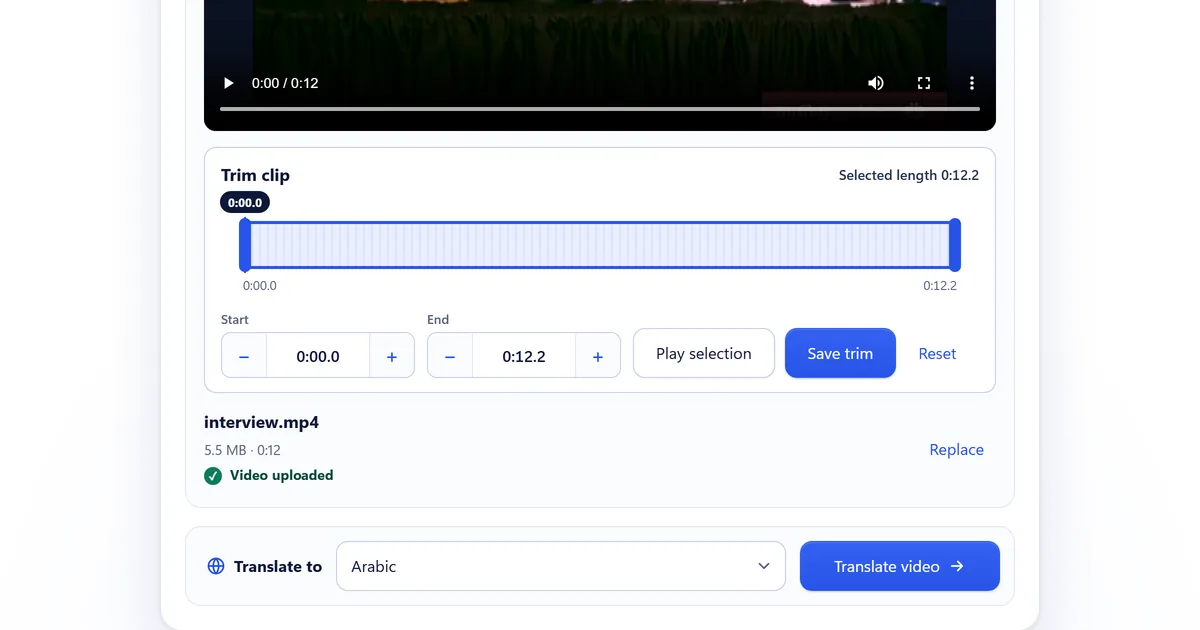
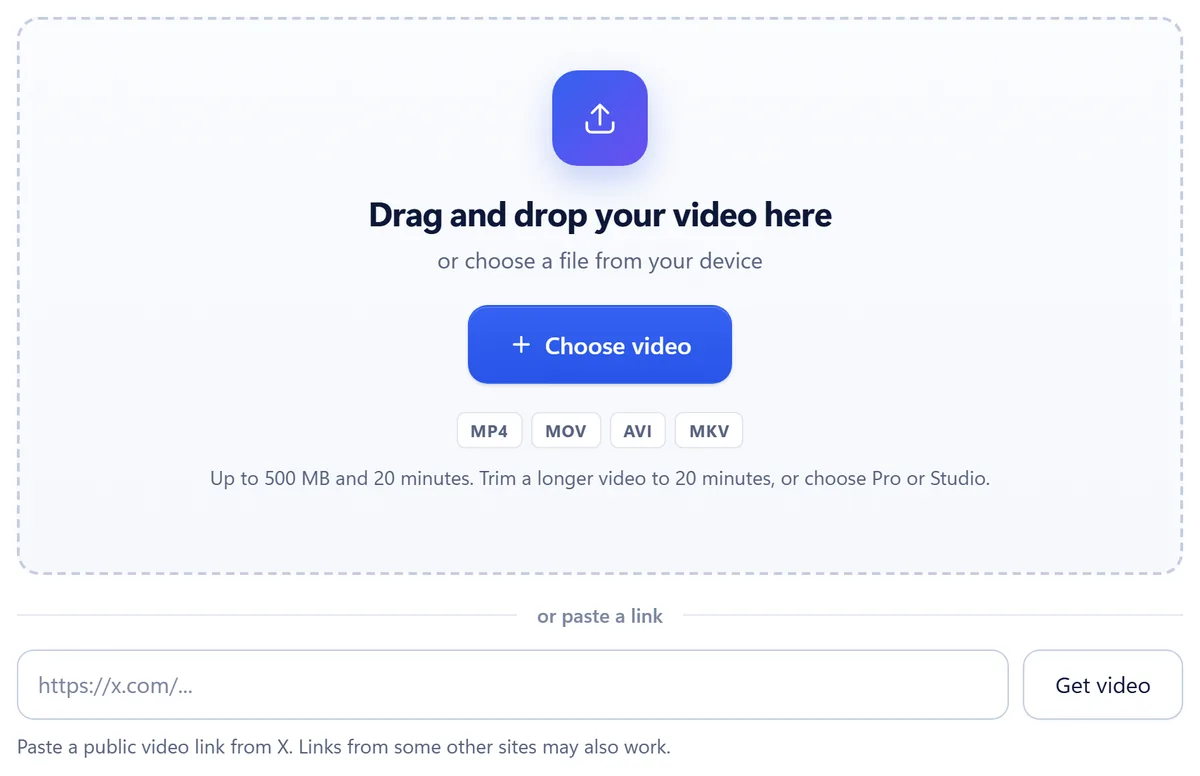
On the Vid Hub homepage, drop an MP4, MOV, AVI or MKV file up to 500 MB and 20 minutes, or paste a public link from X. You do not need an account to upload. Trim a longer video to 20 minutes, or choose Pro or Studio.
Choose Arabic
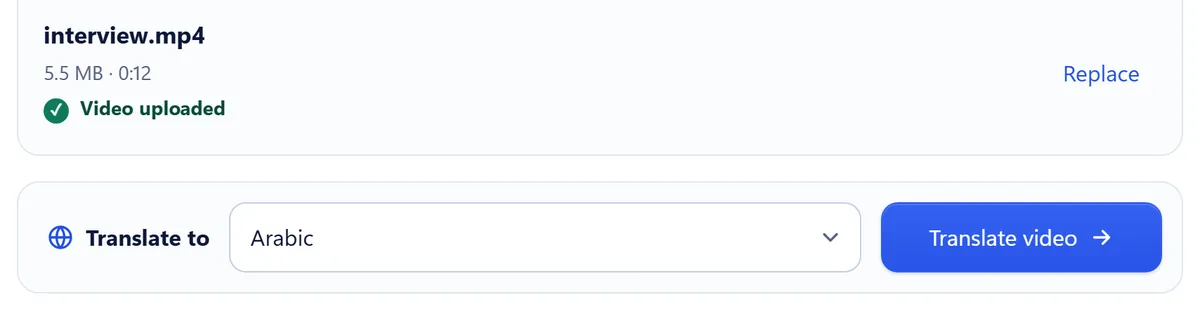
Under Translate to, pick Arabic and press Translate video. You do not select English as the source language: the speech is detected and transcribed in the language it was spoken. You sign in at this point.
Wait while it translates
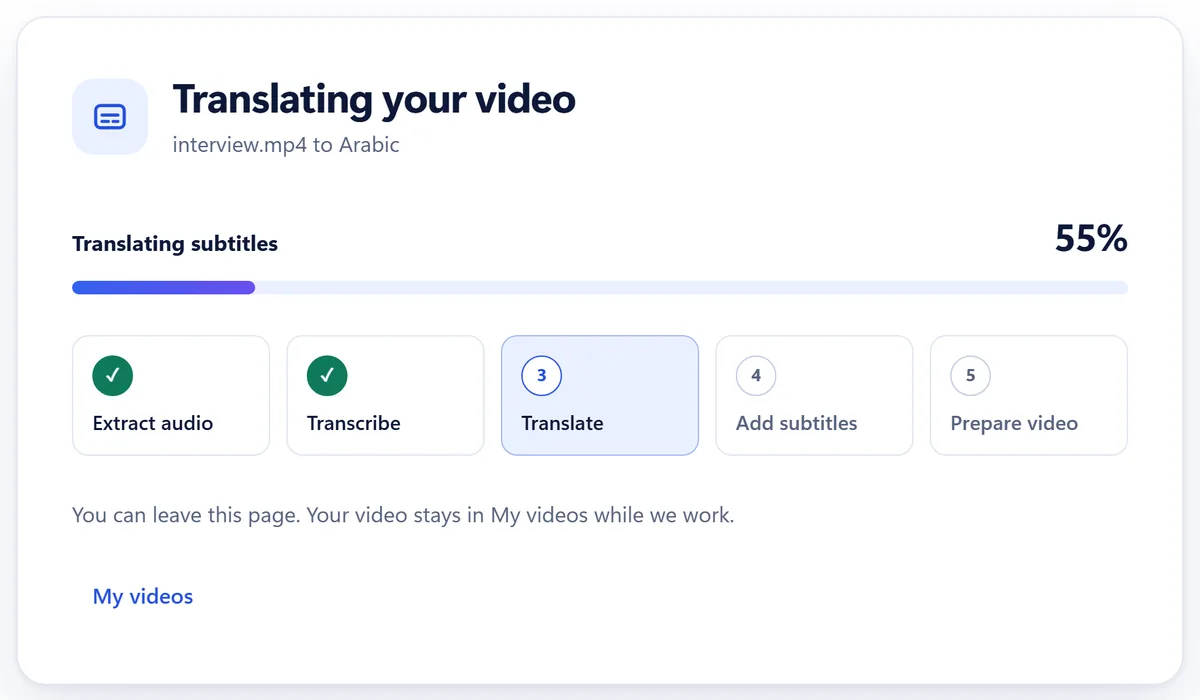
Vid Hub extracts the audio, transcribes the English, translates it into Arabic, adds the subtitles and prepares the video. You can leave the page: the video stays in My videos while it works.
Watch the preview
The preview starts just before the first subtitle and lasts up to 20 seconds. Check that each line starts at the right edge of the text, that English names sit where they belong, and that every line stays on screen long enough to read.
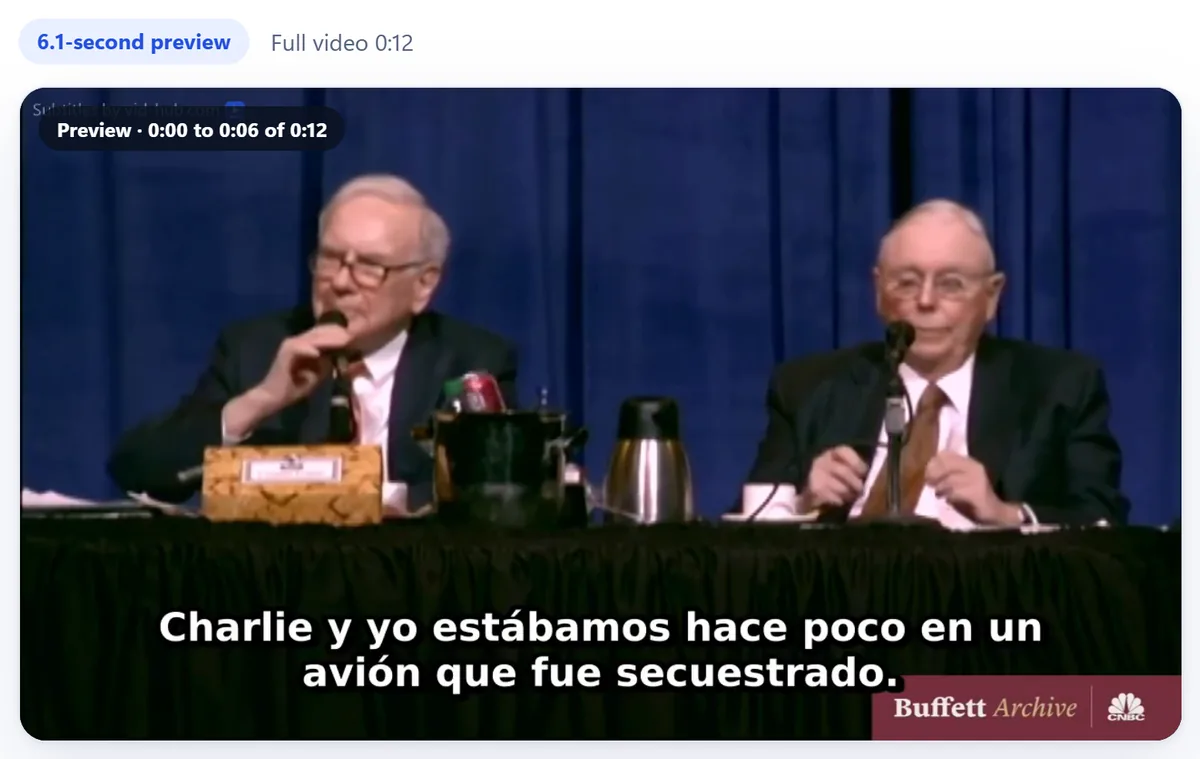
Shown with our published English-to-Spanish sample, a 12-second excerpt from the CNBC Warren Buffett Archive; no endorsement is implied. A video of 20 seconds or less gets a preview of half its length; a longer one gets 20 seconds. Buy the video and download
Buy that video for $3 or choose a monthly plan. You download the MP4 with the Arabic subtitles burned in, plus the Arabic and English SRT and TXT files. A single purchase returns an MP4 up to 720p with a small Vid Hub watermark; Pro and Studio can remove it.
Check these before you publish
- Names. People, places and brands written in Latin letters should appear unchanged inside the Arabic line, in the right position.
- Numbers. Prices, dates and figures should match the audio. Mixed-direction lines are where digits most often end up in the wrong place.
- Tone. A casual speaker should not read like a news anchor, and a formal one should not read like a chat message.
- Reading time. Fast speech makes long lines. Check that each line stays on screen long enough to read in Arabic.
- A native reader. Ask a native Arabic speaker to watch the preview before you buy, and the full video before you publish it.
Every plan can trim the video before it is translated. Pro and Studio also edit the wording and timing of any subtitle and burn the subtitles in again before you download.
The Arabic SRT file
The Arabic subtitles in the MP4 are part of the picture, so they look the same on Instagram, TikTok, WhatsApp and any other app that plays the file. The Arabic SRT file is different: how it displays depends on the player or platform you upload it to, so check it there before you publish.
Who should pick what
- Use Vid Hub when you want one Arabic file for viewers across the region and the speaker's own voice kept.
- Use a human translator when the video is legal, medical or official, or when every word must be exact.
- Use a translator who writes in one dialect when your audience expects that dialect.
- Use a dubbing tool when viewers should hear Arabic instead of reading it. See Subtitles or dubbing.
More on the language: Translate video to Arabic, the same guide written in Arabic, and the other direction, Arabic video to English. For Arabic and another language at once, translate the video twice, for example once into Arabic and once into French. Prices are on Pricing.
Frequently asked questions
Can I translate an English video into Arabic subtitles online?
Yes. Upload the video to Vid Hub, choose Arabic, and watch a preview of up to 20 seconds with Arabic subtitles. Then buy that video for $3 or choose a monthly plan. The original English audio stays.
Are the Arabic subtitles in a dialect?
No. A translation into Arabic is written in Modern Standard Arabic, and there is no dialect setting. On Pro and Studio you can edit the wording in the subtitle editor before you download.
Do the Arabic subtitles run right to left in the video?
Yes. Each line is burned into the picture right to left and centered at the bottom. English names and Western digits inside a line run left to right, so check those lines in the preview.
Do I get the Arabic subtitles as a file?
Yes, with a purchase or a plan. You get the Arabic SRT and TXT files and the English ones, next to the MP4.
How long can the video be?
Up to 20 minutes and 500 MB for a single purchase. You can trim a longer video to 20 minutes before you translate it, or choose Pro or Studio.
Translate your English video into Arabic
Upload the video, choose Arabic, and watch a preview of up to 20 seconds with Arabic subtitles. You pay only if you want the full video.
Upload your English videoSources
We read each page below on the date shown. Prices and plans change, so check the vendor's page before you buy. A source we quote does not endorse Vid Hub.